Emoji Drag and Drop Math Game — All Four Operations
Pick an operation, drag the emojis into the right place, and type the answer. Both have to be correct at the same time before the problem counts as done.
How the Game Works
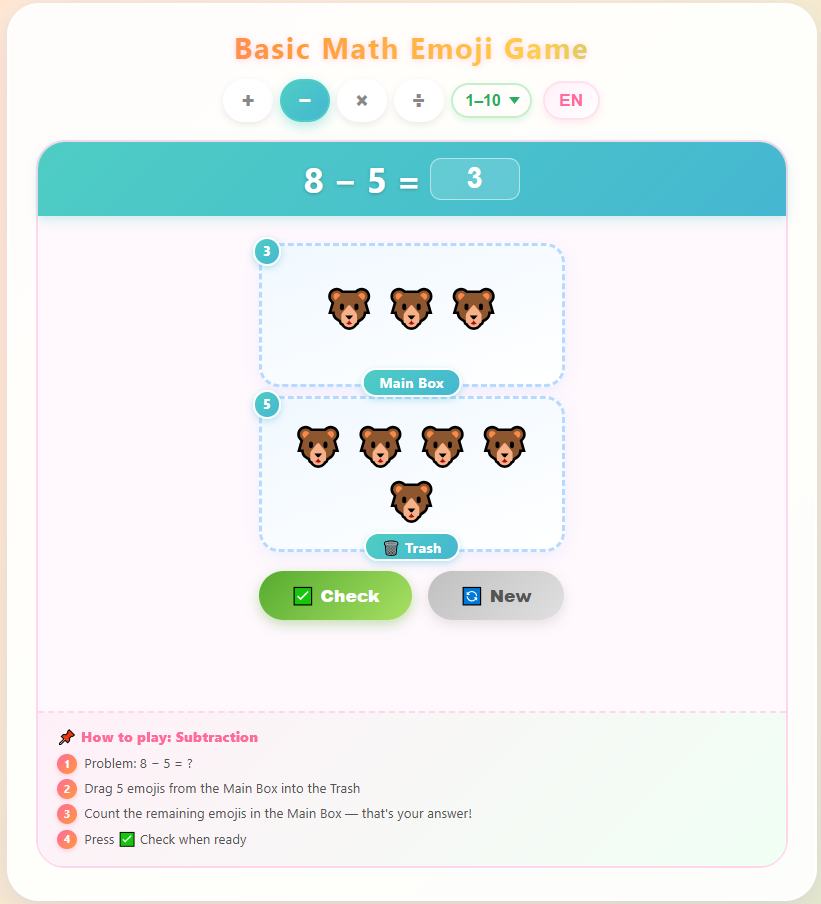
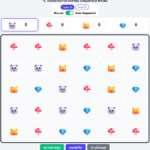
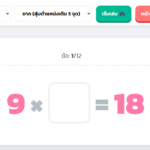
Every problem shows two things: a math equation at the top with a blank answer box, and a set of drag-and-drop zones below filled with emoji characters. Students have to complete both — move the emojis correctly and type the right number — before pressing Check. If either part is wrong, a specific message tells them exactly what went wrong and which count didn’t match.
The zones change layout depending on which operation is selected, which means each mode actually teaches a different way of thinking about the same operation:
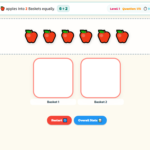
Addition places emojis in two separate boxes (Box 1 and Box 2). The student drags everything from both boxes into a shared Result Box, then counts what’s there and types the total. The act of physically combining two groups reinforces what addition means at the object level before the abstract number is written.
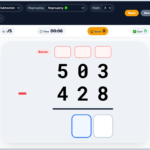
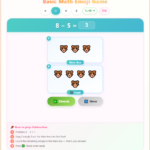
Subtraction starts with all emojis in one Main Box. The student drags the subtracted amount into a Trash zone — a deliberate design choice, because throwing away a specific number of emojis makes the “taking away” concept visible rather than imaginary. The emojis left in the Main Box become the answer.
Multiplication presents the problem as groups: for 3 × 4, the screen shows 4 separate group boxes each containing 3 emojis. The student drags all groups into a single Result Box and counts the total. The groups-of structure is visible before it disappears into one number.
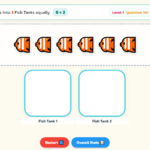
Division reverses the multiplication layout. A Main Box holds all the emojis; the student distributes them equally across the number of boxes shown. For 12 ÷ 3, three empty boxes appear and the student has to place exactly 4 into each — the game checks that all boxes have matching counts and the Main Box is empty.
What the Live Counter Tracks
Each zone has a small number badge that updates in real time as emojis are moved in or out. This means students can watch their count change as they drag, rather than counting mentally at the end and hoping they got it right. When the Check button is pressed, error messages reference the exact count — for example, “Result box has 7 emojis, but answer is 9” — so students know whether they’re off by a little or a lot.
Settings
Operation — Switch between addition, subtraction, multiplication, and division with the colored buttons at the top. Each button turns a different color when active (pink for addition, teal for subtraction, orange for multiplication, purple for division).
Number range — Choose 1–10 for early learners or 1–20 for students ready for slightly larger numbers. The multiplication and division problems are capped at reasonable group sizes so the number of emojis on screen stays manageable.
Language — Toggle between English and Thai. All zone labels, instruction steps, and error messages switch instantly.
Who It’s For
The drag mechanics and emoji visuals make this most useful for kindergarten through grade 2 students who are building a mental model of what each operation actually does. The number ranges stay small enough that counting on screen is feasible, so the physical action of moving emojis matches the arithmetic rather than becoming a separate chore.
For multiplication and division specifically, the group-based layout is the part that earns its place: most early multiplication practice asks students to recall a fact, but this game asks them to first see the structure — equal groups in, combined count out — before writing the number down.
Frequently Asked Questions
Why do both the drag part and the typed answer need to be correct? Typing a correct answer without doing the drag step would let students skip the visual counting entirely — which is the part that builds understanding rather than just recall. Requiring both means the answer can’t be guessed or recalled from memory without engaging with the emoji objects.
What age group is this appropriate for? The 1–10 range works well for kindergarten and early grade 1. The 1–20 range suits late grade 1 and grade 2, particularly for addition and subtraction. The multiplication and division modes are better suited to grade 2 students who have been introduced to the concepts but haven’t memorized facts yet.
Can students select and drag multiple emojis at once? Yes — clicking and dragging across the emoji area selects a group, which can then be moved together into the target zone. This is useful for problems with larger numbers where moving one emoji at a time would be slow.
Does the game track scores or time? The current version is open-ended with no timer or score counter, which keeps the focus on completing each problem correctly rather than rushing. Press the New button after each problem to generate a fresh question.


Leave a Reply